DisplayLink/SecureBoot (fix)
Basic to intermediate difficulty - Only suitable for you if you feel comfortable:
- using the command line
There is a known issue, where SecureBoot prevents DisplayLink from working, when you install the official DisplayLink drivers on an Ubuntu version or Ubuntu-based Linux distribution, that is not officially supported. You can find the supported distributions on the Synaptic website: https://www.synaptics.com/products/displaylink-graphics/downloads
The problem is caused by DisplayLink drivers -actually, a kernel module- not being trusted by your computer, causing it to reject it for security reasons. This article explains how you can enroll a MOK (Machine Owner Key) for DisplayLink, so that your computer accepts it as a trusted.
Before you begin
You will need the mokutil and dkms tools. If these are not yet on your system, install them with: sudo apt install mokutil dkms
To check if SecureBoot is enabled, use: mokutil --sb-state
If SecureBoot is enabled, and you experience problems with DisplayLink, this knowlede base article should solve your problem.
Steps
- Import the MOK key by executing
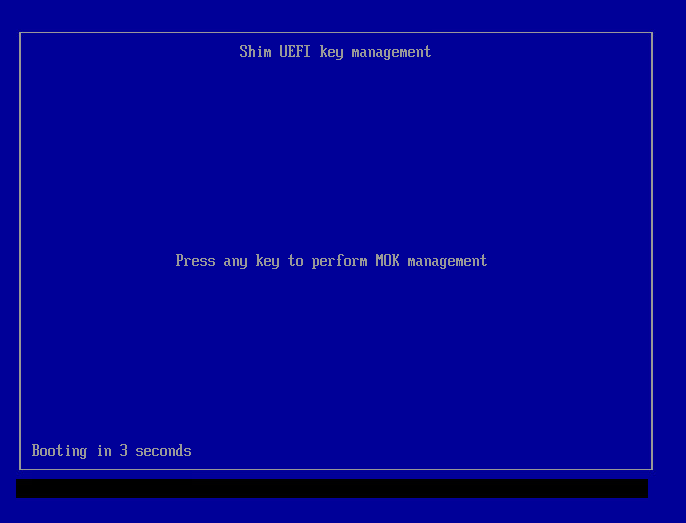
sudo mokutil --import /var/lib/shim-signed/mok/MOK.derand follow the instructions. you kan use any password you want; you will need this password in step 6, when enrolling the MOK key. - Reboot your computer. When booting you should see the MOK Manager EFI interface. Press any key to enter it:
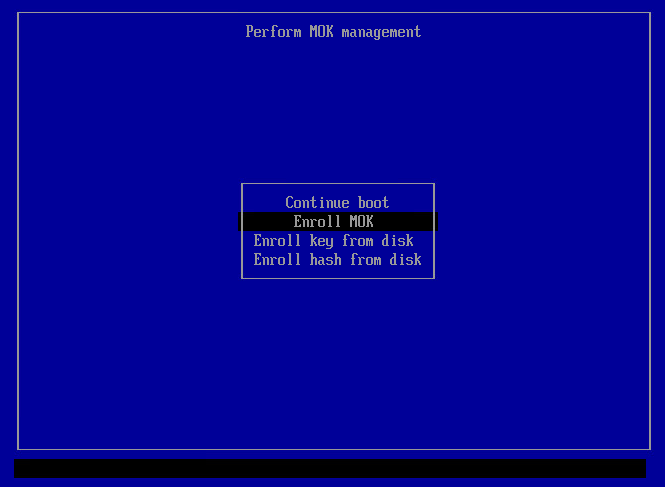
- When in the MOK Manager EFI interfact, select "Enroll MOK" and hit Enter:
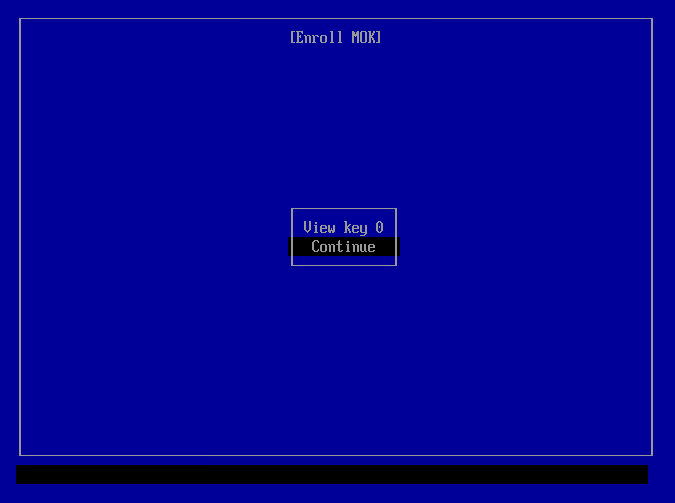
- When in the ENroll MOK screen, select "Continue" and hit Enter:
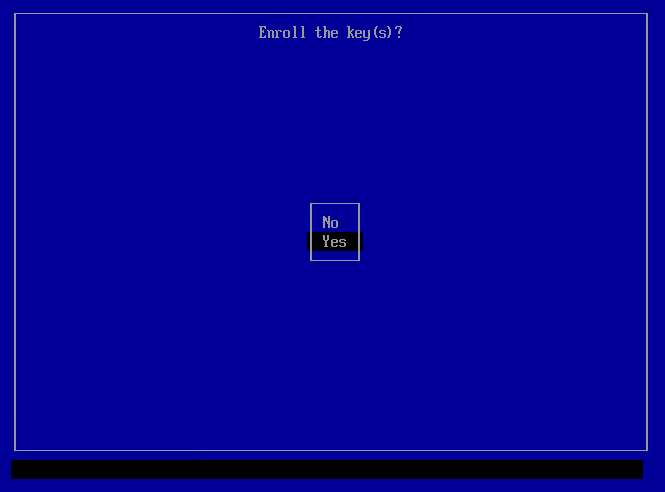
- In response to "Enroll the keys?", select "Yes" and hit Enter:
- You will be asked for the password that you provided in step 1; fill it in and hit Enter:
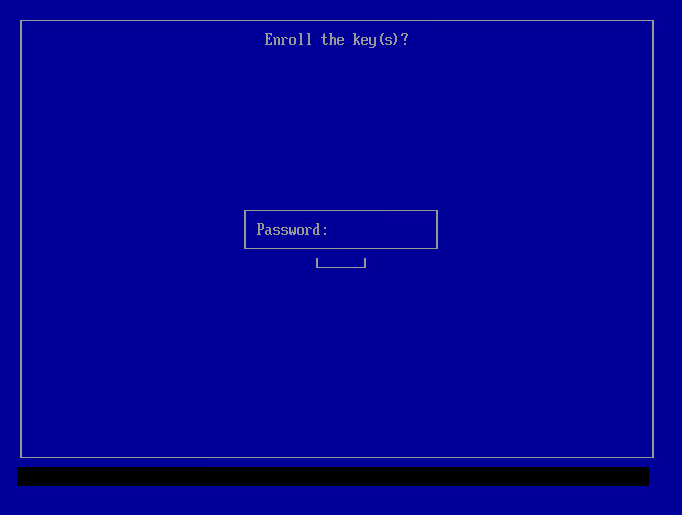
- You will be returned to the MOK manager's main screen; select "Reboot" and hit Enter:
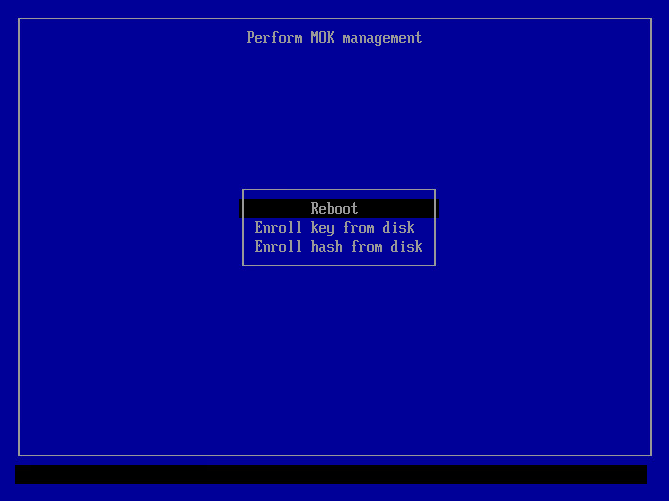
- After the system reboot, execute
sudo dkms autoinstallcommand in order to build and sign evdi module by MOK.
Now DisplayLink is ready to use. The HDMI and/or DVI ports on your docking station should work. You can verify that DisplayLink is working by executing sudo dkms status or sudo systemctl status displaylink-driver.service.
Source of screenshots: DKMS project on GitHub